Create a secure folder
Click Create Secure Folder, or open My Files and choose Add Folder. Select how long the folder should exist, up to 24 hours.
Once the folder expires, or if you delete it, the folder and its files are erased permanently.
Encrypted proof folders
DealSend creates encrypted, expiring proof folders for private digital deals.
Prove delivery readiness without exposing your original files. Files are encrypted before upload, stay private, and are permanently removed when the folder expires or is deleted.
Private proof before file access
DealSend is designed for situations where trust, effort, and delivery readiness matter. It helps you demonstrate that your digital files are prepared without exposing the original files before you are ready.
Click Create Secure Folder, or open My Files and choose Add Folder. Select how long the folder should exist, up to 24 hours.
Once the folder expires, or if you delete it, the folder and its files are erased permanently.
Files are encrypted before they are uploaded, so the contents stay private while stored on DealSend servers. No one can access or view your files except the people you choose to share them with.
The folder link is private, and each folder also has its own password. To share your digital files, send the recipient both the folder link and the folder password.
You decide if recipients can download the files, or if they can only view them inside DealSend without the ability to save copies.
After the folder is created, click Add Files, choose the files you want to include, then click Upload to sync them into the secure folder.
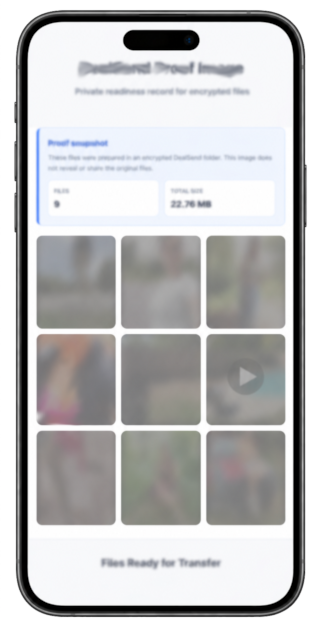
Prove that your files are ready to be shared while protecting your privacy. After the upload is complete, click Save Proof Image.
The proof image saves a snapshot of the files and basic details. For media files like images and videos, thumbnails are blurred for privacy and safety while still giving the recipient an idea of what they will receive.
Media file thumbnails are blurred for extra privacy before sending your files.
When you are ready to share the original files, send the recipient the protected folder link and provide the password.