How this works

Keep files private until you are ready to share them.

DealSend helps you prepare encrypted files, sync them securely, and share them only when the time is right.

The workflow

1

Create a secure folder

Click Create Secure Folder on the homepage, or use New Folder in your folders workspace. Choose how long the folder should stay available, up to 24 hours.

When the folder expires, or if you delete it, the folder and its files are removed permanently.
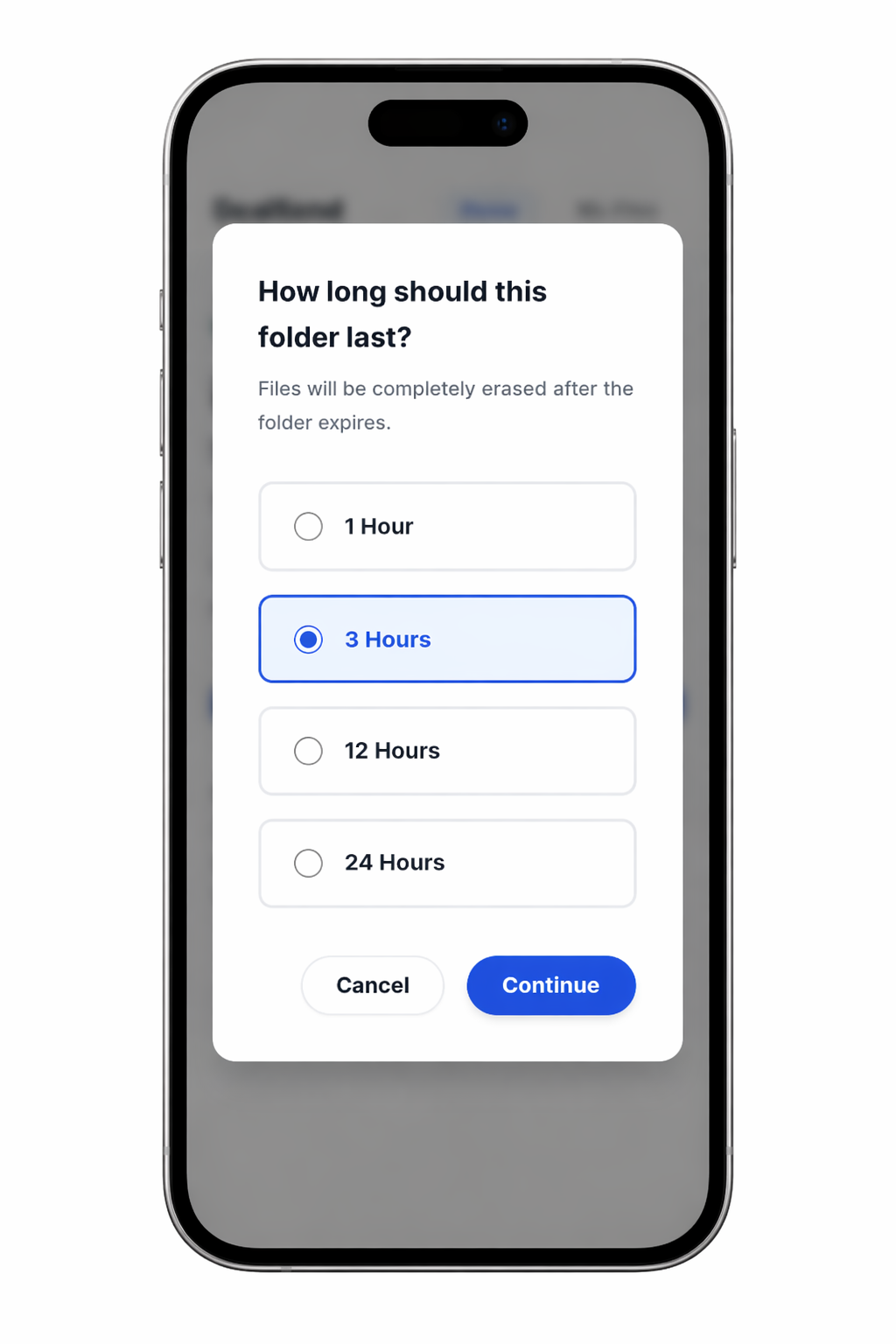
Choose how long a DealSend folder should last
2

Keep the folder private and password protected

Files are encrypted before they are uploaded, so the contents stay private while stored on DealSend servers. No one can access or view your files except the people you choose to share them with.

Each folder has its own private link and password. To share your files, send both to the recipient.

3

Choose whether downloads are allowed

You decide if recipients can download the files, or if they can only view them inside DealSend without saving copies.

4

Add files and sync them

After the folder is created, click Add Files and choose the files you want to include. DealSend starts syncing them right away.

5

Save a screenshot

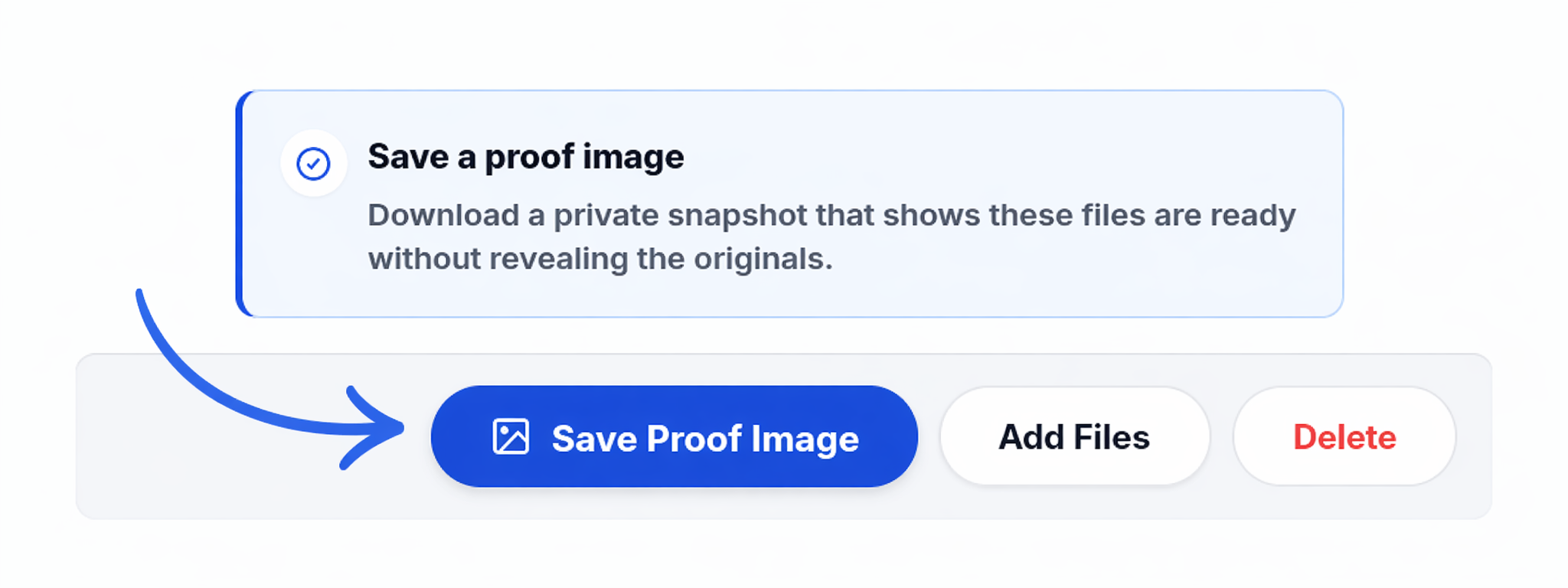
When syncing is complete, click Save Screenshot to keep a private visual record that shows the folder is ready.

Save Screenshot button in a finalized DealSend folder
6

Show proof without revealing originals

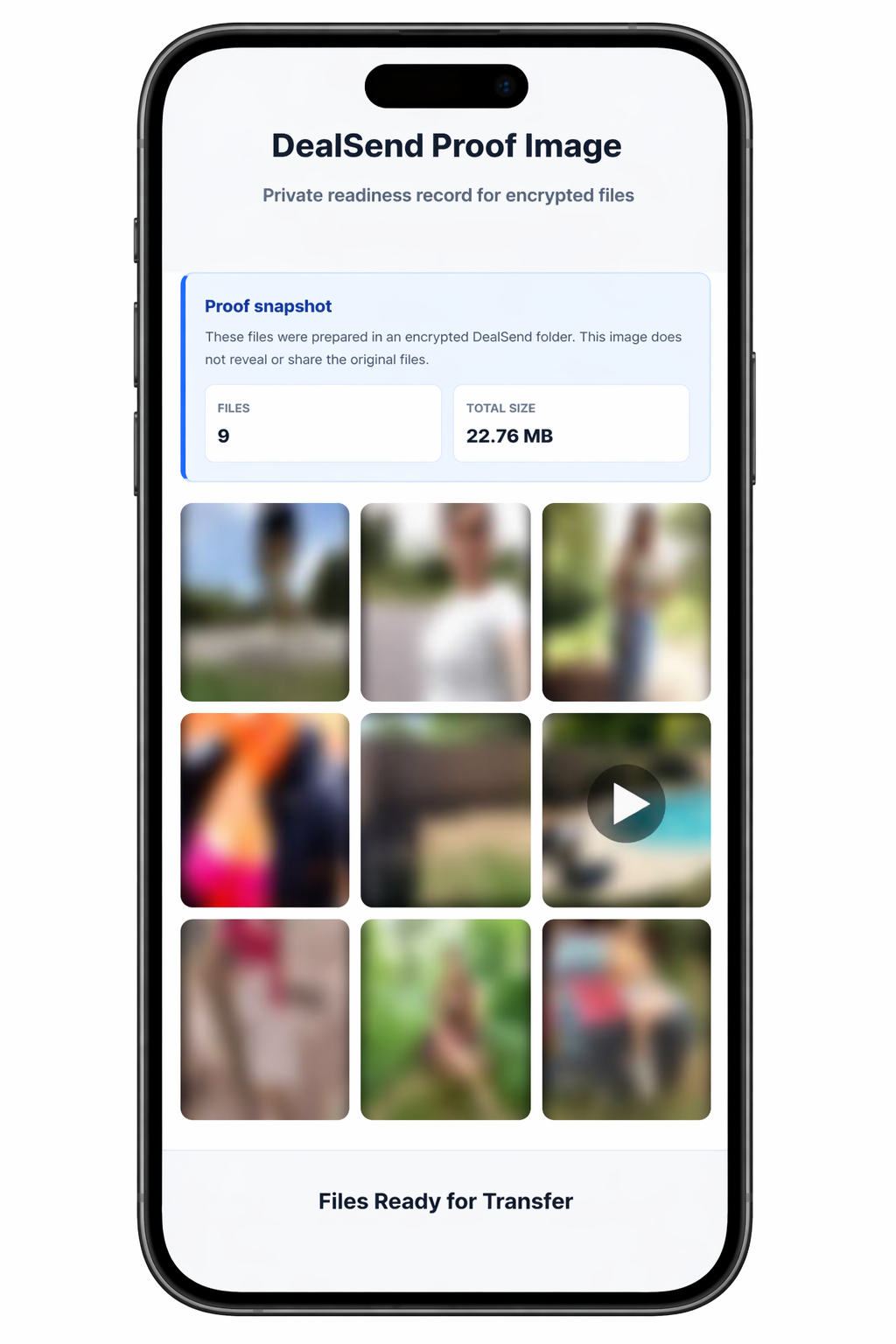
The screenshot captures the folder state and basic file details. Media thumbnails stay blurred for privacy while still showing that files are present.

DealSend proof image with blurred media thumbnails
7

Share when you are ready

When it is time to release the originals, send the folder link and the folder password to the recipient.